
PremierBet+ for Android
The Premierbetzone app on Android, and the honest iOS answer
The official app is a 3.9 MB download that installs in under a minute on almost any Android phone and then uses less data per session than the mobile site. iPhone owners get no app at all, and this page will not pretend otherwise: the browser version covers them fully.
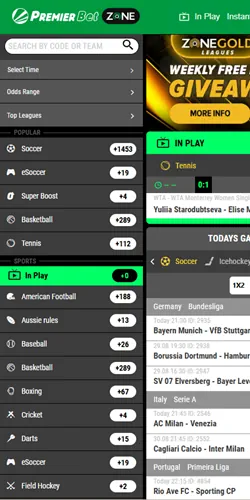
What you install
What you are actually installing
The file is the PremierBet+ APK, roughly 3.9 MB, offered only on the bookmaker's own site because real-money betting apps are not listed on Google Play in this market. Small size matters here: at typical Tanzanian mobile data prices the download costs less than a minute of streaming, and the app then saves data on every later visit compared with reloading the full website.
One warning deserves bold print. Only download the APK from the official Premier Bet site, because lookalike files on random portals are a known way to steal logins. The genuine logo is green and white, and the install page is linked from the footer of the official site.
App versus browser
App or browser: an honest trade-off
Both versions show identical markets, odds and casino games, so the choice is about comfort, not content. The differences that actually affect your day are below.
| Question | Android app | Mobile browser |
|---|---|---|
| Works on iPhone | No | Yes |
| Data per session | Lower after install | Higher, reloads assets |
| Notifications | Push alerts for bets | None |
| Storage needed | About 4 MB | None |
| Updates | Manual APK refresh | Automatic |
| First load speed | Around 4.5 seconds in tests | Depends on the browser |
If your phone is old or nearly full, the browser is the safer pick. If you bet most evenings, the app pays for its 3.9 MB within days through lower data use.
Your account works on both. The same login, balance, open bets and bonus progress appear whether you open the app, the mobile site or a desktop browser, so switching devices mid-week costs you nothing.
Install and run
Install the Android app in six steps
The whole process takes two or three minutes on a normal connection. It stays simple. Follow the order below and you avoid the two errors nearly everyone hits, which are a stale file and a blocked permission.
- Open the official Premier Bet site in your phone browser.
- Scroll to the footer and open the Android App page.
- Tap the download button and wait for the 3.9 MB file.
- Allow installs from unknown sources when Android asks.
- Open the downloaded APK and confirm the install.
- Log in once; the app remembers you afterwards.
Third-party listings mention Android 4.2 as the minimum version, although the official page does not state one; in practice any phone from the last eight to ten years runs the app. Keep at least 20 MB free so the installer has room to unpack, and enable unknown sources only for the browser you downloaded with, then switch it back off.
There is no iOS app, so skip any App Store search and any site claiming to offer one. Open the official site in Safari, tap Share, then Add to Home Screen: the icon that appears behaves almost like an app, opens full-screen and keeps you logged in.
Both paths land on the same account, so there is no wrong door here: install the app when you want push alerts and lower data use, or keep the browser when storage is tight and you would rather update nothing by hand.
Troubleshooting
When the install fails: fixes that work
Most failed installs come from three causes, and each has a boring but reliable fix. Start at the top. Work through the list in order before blaming the phone, because a fresh download from the official site alone solves most cases.
- A parse error or an "app not installed" message means the APK is incomplete or stale, so delete the file and download it again from the official site, never from a mirror.
- An install blocked warning means the unknown-sources toggle is off; enable it for your browser only, install the app, then switch the toggle back off.
- An app that opens but stalls on the logo usually needs its cache cleared and the phone restarted, with a full reinstall kept as the last resort.
- Missing notifications are fixed in Android settings: allow notifications for the app and exclude it from battery-saver restrictions.
If none of this helps, the toll-free line 0800 750 032 and the in-site live chat both handle install problems, and agents answer in English or Swahili.
Inside the app
Limits worth knowing inside the app
Premier6, the free predictor game with a TSh 60,000,000 prize pool for six correct scores, lives inside the app, which is a genuine reason to install it even if you prefer the browser for everything else. Live streaming of matches is present too, but it only activates on accounts with a deposit, so a freshly registered zero-balance account will not show video.
Every limit from the desktop site applies identically in the app: the same TSh 35 minimum bet, the same deposit and loss ceilings you set yourself, and the same self-exclusion options from one day to permanent. Changing phones does not reset any of them, because the limits sit on your account, not on the device.
Payments inside the app run on the same rails as the site: M-Pesa, Tigo Pesa, Airtel Money and HaloPesa deposits from TSh 100, with withdrawals to the same wallet your account phone number belongs to.
One honest minus closes this page. The app has no offline mode, so when your data drops mid-slip the browser's USSD alternative from the homepage is the better fallback.